Invoice extraction & document processing API

Bring document results into your application.

Submit a file or supported document URL, retain the returned job ID and retrieve structured results. Your application owns downstream review, approval and action.

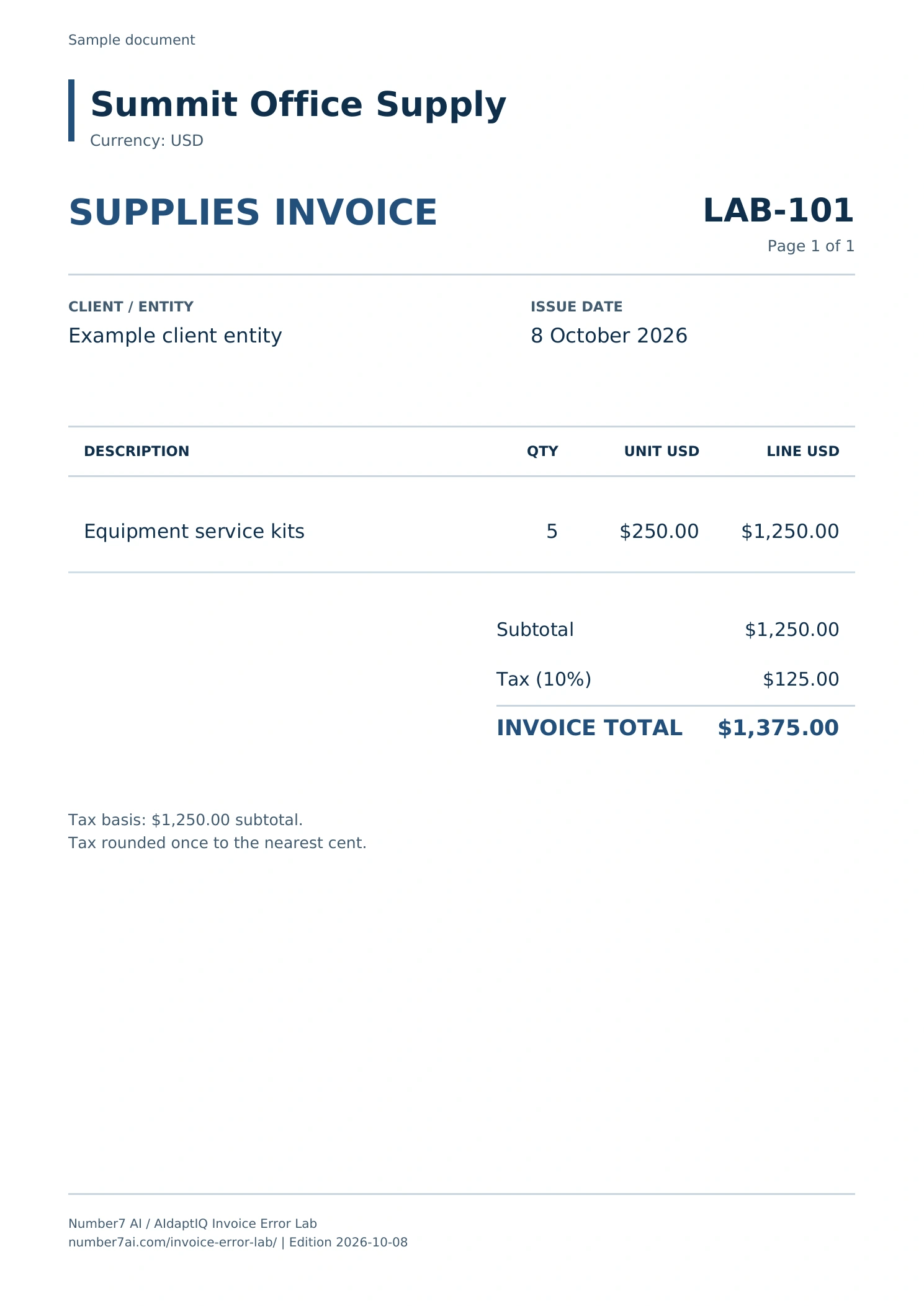
LAB-101 invoice from the Invoice Error LabExample invoice · LAB-101

File → job → result

01Submit the sourcePOST /api/v1/upload

Upload the document. Processing is asynchronous; upload acceptance is the start of a job.

02Keep its identifierdata.jobId

Retain the returned job ID. Use it to retrieve the result, or associate a verified completion callback with the same job.

03Read the job resultdata.fileStatus

Check the terminal status. A completed document result is ready for your application’s review and business controls.

Follow the documented job flow with LAB-101. Test the API with your own credentials to inspect the returned result.

Published v1 contract

Make one request. Keep one job identifier.

01 · Upload an invoice
curl --fail-with-body --request POST \
  'https://api.number7ai.com/api/v1/upload?document.type=invoice&document.version=v1' \
  --header "Authorization: Bearer $N7_API_KEY" \
  --form 'file=@invoice.pdf' \
  --form 'fileName=invoice.pdf' \
  --form 'fileType=application/pdf'

Read and persist data.jobId from the response. Upload acceptance means a job exists; it does not mean processing is complete.

02 · Retrieve the job result
curl --fail-with-body \
  'https://api.number7ai.com/api/v1/results/YOUR_JOB_ID' \
  --header "Authorization: Bearer $N7_API_KEY"

Check data.fileStatus. done means a result is available; failed needs error handling.

ProcessingDoneFailed

The examples use the published request and status names. The completed business-data schema must come from the verified contract for your integration; this site does not invent an invoice response.

A clear ownership boundary

Document completion starts your business workflow.

Number7 AI API

Document processing

Returns the documented structured document result and processing status.

Your application

Business controls and action

Checks required accounting fields, routes uncertain cases and owns downstream review, approval and action unless separately implemented.

Extraction completion alone does not establish a valid vendor, approved bill or successful accounting posting. Keep source evidence and the returned job identifier attached to the work.

Asynchronous by design

Follow the job through to a terminal result.

01 · SubmitFile or supported URLPOST /upload
02 · TrackRetain the job IDdata.jobId
03 · RetrieveRead completion statusdata.fileStatus
04 · UseYour application decidesReview · approval · action
StatusWhat your application does
uploading · processing · scanning · ai_processingContinue bounded polling or wait for the configured completion webhook.
doneRetrieve and validate the structured result against the requirements of your workflow.
failedHandle the documented job failure and surface the next action.

Implementation checkpoints

Plan for the cases around the happy path.

  1. Keep credentials server-side

    Use Bearer-token authentication. Scope credentials to the agreed account and environment.

  2. Bound the wait

    The guide recommends polling about every 20 seconds with a timeout. Do not poll indefinitely.

    Read the polling guidance
  3. Verify completion callbacks

    Authenticate the raw payload before parsing it, then handle duplicate delivery safely.

    Read webhook verification
  4. Reconcile uncertain uploads

    If a timeout may follow acceptance, reconcile before resubmission. Do not assume an idempotency header exists outside your agreed contract.

    Read errors and retries

Try the same source files

A document boundary can matter as much as a field.

The example pack includes a four-page PDF containing two invoices and one credit note. Pages 2–3 belong to one bill. Compare the actual output of the API you evaluate with the answer key.

1Invoice2–3One invoice4Credit note

Compare document boundaries and accounting amounts, then record the API’s result on the same files.

Next step

Discuss the contract your application needs.

Map result fields, operational limits, webhook handling and downstream ownership with the product team.

Request the diagnostic→