Invoice capture and mixed PDF splitting
Read invoices and keep each vendor bill connected to its original source pages. Confirm the supported document mix for your implementation.
Action: Automatic with review.
Read the workflow scope
 BY NUMBER7 AIOpen AIdaptIQ ↗Book a demo →
AIdaptIQ · AP automation platform
Prepare invoices, validate amounts, apply client coding and resolve questions with their source. Your team owns the judgment and approval; the accounting system owns the accepted result.
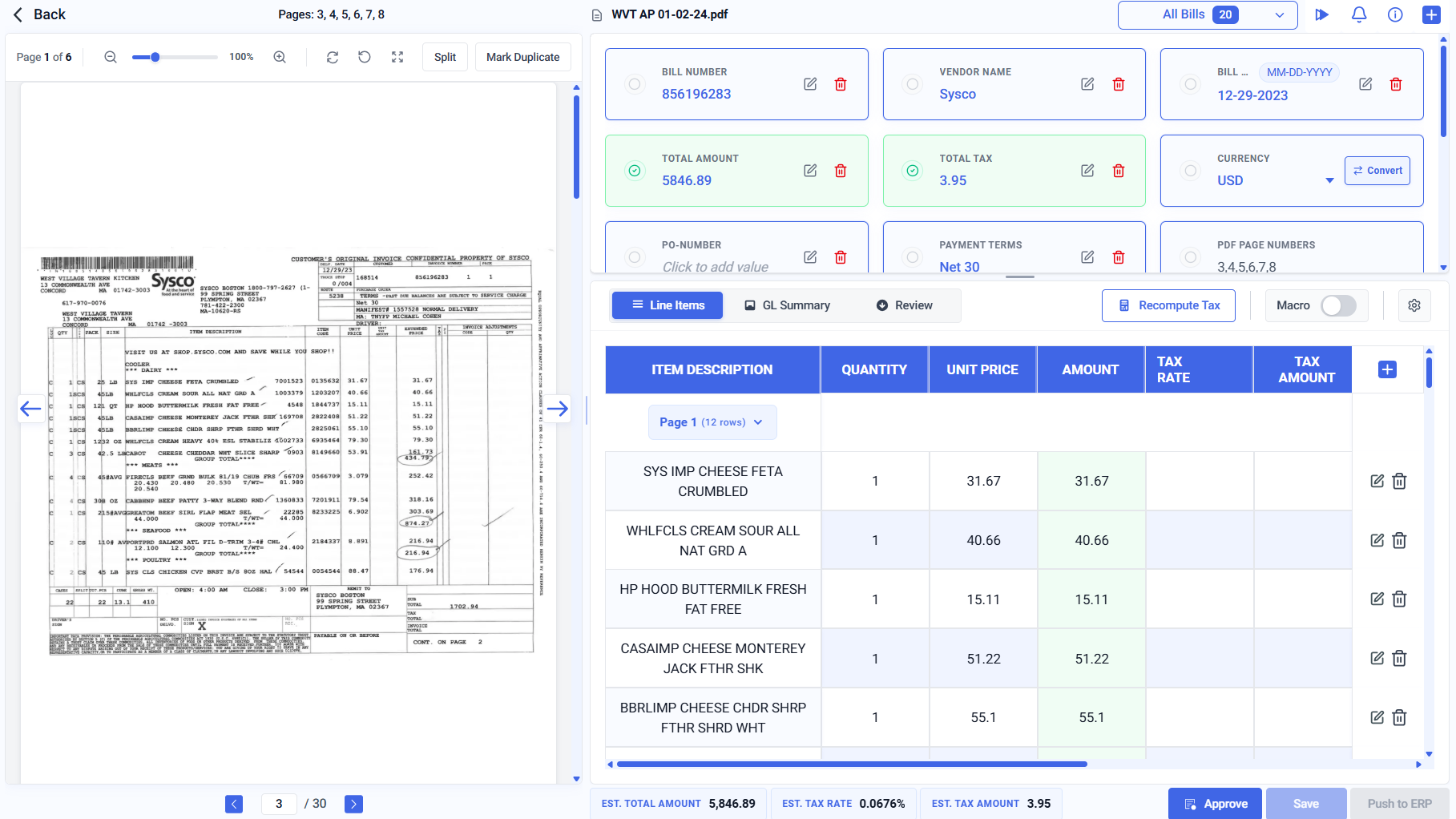
Read the supplier’s document beside its extracted bill. The original remains available for review.
Inspect amounts, tax, currency and individual line items in the same workspace.
The Approve action stays visible. Review and required authority precede an accounting handoff.
One bill · one connected workflow
A combined PDF is separated into the correct invoice boundaries. Original pages remain available.
Vendor identity, fields, lines and arithmetic are evaluated in the client’s context. Recoverable extraction errors are repaired against the source.
INV-2048 claims 500 units. GRN-4102 supports 300. Receiving is asked for the missing 200 units with the exact invoice and PO attached.
GRN-4140 supports the remaining 200 units. It joins the same invoice history and the affected quantity check re-runs.
Matching passing does not replace the designated approval. Only the approved bill proceeds.
Accepted identifier or returned failure: the transaction retains what happened next. Payment recording remains separate from moving money.
Inside AIdaptIQ
01Inspect the original source beside the bill.
02Review extracted fields and line items.
03Keep approval explicit before ERP handoff.
Invoice-linked email collaboration
In AIdaptIQ · INV-2048
“Please send the receipt for the remaining 200 units. Invoice INV-2048 and PO-1086 are attached.”
Receiving owns the evidence gap.
In the recipient’s email
“The remaining 200 units arrived. Attached: GRN-4140.”
No platform seat required.
Back on the same invoice
The reply and source join the previous conversation. The quantity check re-runs; required approval remains separate.
Match passed · approval pendingChoose the capability
Read fields and lines, validate arithmetic and inspect source-supported corrections.
Resolve a named cause with evidence, an owner and the previous conversation.
Prioritize blocked bills and find the owner and transaction behind each amount.
Carry partial receipts, cumulative invoicing and corrections forward.
Embed structured document results. Your application owns the downstream workflow.
Keep the system that owns your books
AIdaptIQ prepares and controls the operational work. The accounting system accepts the bill and returns its identifier or a failure. Recording payment state does not move money.
Plan the rollout
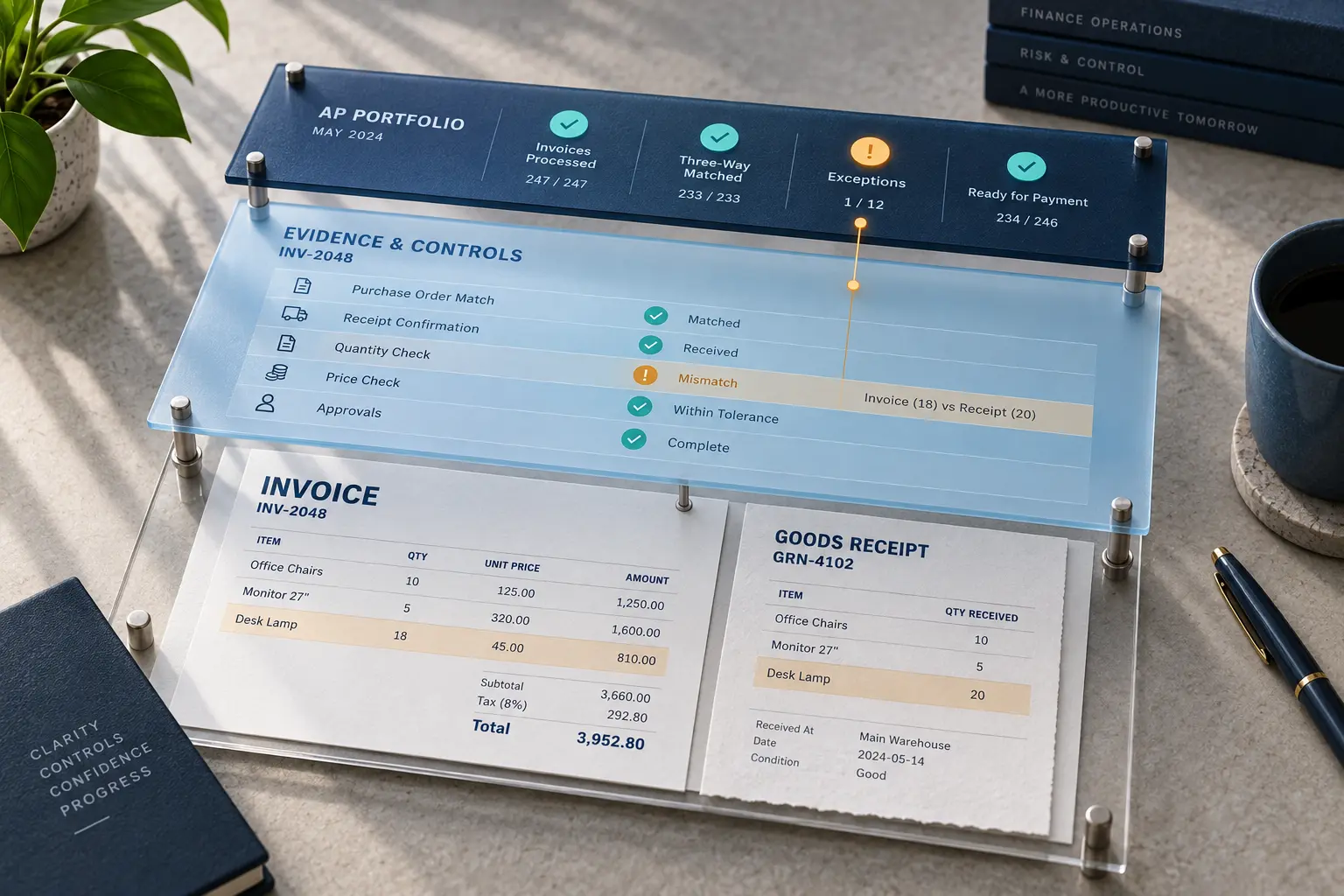
Accounting firms use client-specific coding and replies. BPOs use shared delivery capacity and exception ownership. Enterprise AP connects purchasing evidence, approval and accounting-system controls.
Quick answers
AIdaptIQ repairs recoverable invoice arithmetic extraction errors across line extensions, subtotal, tax and total. A contradictory or insufficient source stays in review.
Yes. It remembers how each client codes recurring vendors and applies that client-specific context to future bills.
No. Team members and clients can reply by email. Their answers return to the invoice and preserve the conversation; configured review and approval still apply.
Yes. It maintains cumulative purchase-order, receipt and invoice state across partial receipts, cumulative invoices and corrections. Required approval remains separate.
Free Invoice Error Lab
Inspect arithmetic, invoice boundaries, client coding and changing receipt balances with original PDFs and checked answers.
Next step
Bring one routine invoice and one difficult exception.
Scope and action
Read invoices and keep each vendor bill connected to its original source pages. Confirm the supported document mix for your implementation.
Action: Automatic with review.
Read the workflow scopeThe recorded product-owner confirmation applies to the named capabilities. Deployment scope, integration permissions and approval requirements are agreed separately.